Showing posts with label links. Show all posts

13 April 2012

Library Inspiration: The Library of Congress


Library of Congress Reading Room
I recently had the pleasure to visit the Library of Congress in Washington, DC. Due to time constraints, I could only take time to visit one of its three buildings—the Jefferson Building—which sits directly across from the capital building and is more of a museum and shrine than a practical library.

While I was at the Jefferson Building I toured the grand lobby, viewed a couple of exhibits, and visited the impressive circular Reading Room which can only be accessed on the ground level floor by approved researchers and staff. From an upper floor balcony, visiting tourists are ushered in roughly ten at a time so as not to overcrowd the glassed in balcony overlooking the domed room. It was quite an impressive sight. Unfortunately, no photography is allowed in that room, so I can offer you the above scanned image from the small note card I purchased in the gift shop.


A wonderful feature that the LoC offers visitors, teachers, and students is a pretty nifty "Passport to Knowledge" card that on-site visitors can insert into kiosks strategically placed throughout the Jefferson Building. These kiosks have large, angled, interactive touch screens visitors can use to view to learn about the particular room they are standing in. While doing so, the kiosk allows the viewer to save visual items of interest into a personalized collection of their Passport to Knowledge card for future viewing online after leaving the building. I took time to select a few items to build a starter collection, then returned home to continue the exploration and discovery.

Passport to Knowledge does more than building a personal collection of interesting items, however. It also links to other internal LoC and external websites to help facilitate an even greater learning experience about physical items, historical events, literature, people, and a myriad of other interesting topics. And as a value-added teaching tool, it even offers a "Knowledge Quest" online interactive game to test your knowledge on 20 themes, then suggests discussion questions and additional sources for gaining further insights into the topics. I found it to be an engaging, entertaining, and educational tool that keeps me coming back to explore more of its diverse and extensive range of topics.

If you're not familiar with the Library of Congress, I've found a really terrific overview of the most impressive and fascinating aspects of what the Library of Congress is and does. The link below will take you to a Library of Congress web page, and about half way down the page on the right side is a video "About the Library of Congress" which I highly recommend if you want to feel the power of what a library can do, be, and aspire to as an organization that serves the greater public. Unfortunately, as of June 2014 the link changed and I'm unable to locate where it might have moved to, but offer a new link which does a fairly good job of providing an overview of part of the LoC endeavours:
http://www.loc.gov/about/more-than-a-library/presentation/

09 February 2012

New Year 2012 Library Prediction Poster Results

The New Year Predictions display poster results at the end of January 2012.
Just a quick update on the results of the New Year 2012 prediction display installed during January at the Headquarters Library and online at the library's Facebook page (first blogged here: http://librarygraphicdesign.blogspot.com/2012/01/happy-new-year-predictions-at-library.html ). Visitors were encouraged to add their prediction for what may or may not happen during 2012 and the resulting participation was both fun and encouraging. As you can see in the image above, there were so many predictions (114 in fact!) written on Post-It notes and stuck to the crystal ball that they couldn't all be contained within it.


On the last day of the display, the librarian managing it gathered the Post-It notes to tally up the answers. You can see the results here:  http://www.aclib.us/research/blog/what-are-your-predictions-new-year-part-2

Creating a display that encourages viewer participation is a great way to engage visitors in promotional efforts and to get feedback from them to see how you are doing. I receive a lot of positive feedback from the staff about displays like this, so I always enjoy exploring themes and presentations that lend themselves to incorporating an interactive, value-added component to what would otherwise be a static poster and message. It's great fun to see the poster continue to visually evolve during the time it is on display.

01 January 2012

Happy New Year Predictions at the Library


Happy New Year 2012 to everyone! Last year for the new year we asked visitors what their new year resolutions were. We had a great response from visitors and look forward to another round of interactive participation this year. To change it up for this year, however, we're asking what everyone's predictions are for the new year. We'll be asking them on our library Facebook page (www.facebook.com/alachuacountylibrary) and at the Headquarters Library, where our alcove displays a large format poster of a crystal ball, among other interesting things. 


On the book shelf beneath the poster, visitors are encouraged to fill out Post-It notes and place them directly onto the image of a large crystal ball in the center of the poster. The poster also provides a definition of what a prediction is, as well as some suggested reading from our collection of books. Viewers are even primed with a selection of potential our own predictions...from the serious to the downright silly. We look forward to everyone's response and will be updating a library blog post with all the results (and saving them to read again at the end of the year!).


This large format poster at 116x72 inches was printed out in-house in two 116x36 inch sections, then stripped together using double stick tape. Images are a mix of clip art and photographs provided from a variety of sources.


Picture of the display after installation. Post-It notes with viewer predictions
already began accumulating in the crystal ball.

Detail of where patrons have added their predictions into the crystal ball.
A few more days after this shot, Post-Its spread up into the headline
and covered the wooden base.

14 October 2011

Ode to Steve: Steve Jobs Day, October 14, 2011

iMiss You.
Today, October 14, is Steve Jobs Day. About a week earlier, the couple days after Steve Jobs' death, one of my librarian colleagues came to my office to tell me he had heard about a Dress Like Steve Jobs Day coming sometime soon, but didn't know exactly when. I thought that was a pleasant way for the masses to honour the former founder and CEO of Apple's memory. A few days after receiving my first notice the tribute day was coming, my librarian colleague took time out of his busy day while preparing to open a new library branch to phone me: "Scot, I just found out tomorrow is Steve Jobs Day." Fortunately, my own ubiquitous black mock turtleneck shirt and blue jeans were easily at hand back home.


You can find out more about Steve Jobs Day and the Dress Like Steve Jobs Day event at the links below:


Steve Jobs Day
http://stevejobsday2011.com/index.php


Steve Jobs Day
www.facebook.com/event.php?eid=167358663346841


Dress Up Like Steve Jobs Day
www.facebook.com/event.php?eid=130179840411684


Steve Jobs
http://en.wikipedia.org/wiki/Steve_Jobs


Steve Jobs Greatest Achievements
www.wired.com/gadgetlab/2011/10/steve-jobs-greatest-achievements/?mbid=wir_newsltr&pid=2452


And my personal favourite web site about Steve that includes links to YouTube videos of interest:
http://allaboutstevejobs.com


Thinking about Steve at my desk.
Prior to even knowing about these events, I already had printed out a photo of Steve and pinned it to my bulletin board at my desk at work. It provided a reminder that gave me pause to think on my own experience using Apple products. 


I was a graphic designer in 1986 when the Mac Classic came to the market. The company I worked for, the Dallas Times Herald, made a big push to begin use off-the-shelf computer products to create computer-generated art in its newspaper. The transition from using rapidiograph pens on vellumn paper, waxing galleys of text to blue line mechanicals, and cutting rubylith and amberlith films for colour separations took time, but we were all about finding ways to do our job faster, easier, and with more efficiency. Apple products made that possible, and as they continued to improve on their products, so did I. The largest portion of my design work has been created on Apple products; all of my industry awards are a direct result of using products Steve Jobs had a hand in creating. So I have a lot to thank Apple--and by extension--Steve Jobs for. A lot has been said about Steve's visionary instincts for developing products, masterful abilities as a marketeur, personal leadership style, and more. I can't add more to that, so I offer the collection of references above for your enjoyment and appreciation of a man that made a HUGE difference in the world.


But wait, there's one more thing.


www.apple.com/stevejobs

30 June 2011

Download Audiobooks, eBooks & More Poster

The 68x44 inch reference desk area display poster promotes the library's OverDrive database service.
In conjunction with our summer theme on travel and technology, and our QR code launch, our July reference area display board will highlight one of our database resources, OverDrive. You can download eBooks, audiobooks, music and video from OverDrive to your PC, Mac, eReader or portable device. OverDrive continues to improve and add apps for mobile devices, including iPad, iPhone, Android and others. You can find out more about it at overdrive.aclib.us.


This large format poster is 68x44 inches. However, my in-house large format printer--a Hewlett-Packard DesignJet 800--is only 36 inches wide. So in order to create the full sized poster, I have to print the image out in two horizontal strips, then tape the top and bottom halves together. It works out pretty well, considering the logistics and cost savings of using an outside printer.


Arrg! Printer drippage!
What doesn't work very well, however, is printing for some weeks after I have replaced the ink heads. For some reason, the black ink drops excess puddles anywhere it wants to while it is printing--mostly along the outer margins of the page where the inker stops and reverses directions--but not always. The droplets of ink don't immediately dry either, and they end up getting on the receiver bed of the printer; on other sections of the print as it rolls against itself or the now-stained receiver bed; on my fingers and clothes if I'm not careful. It's not a very happy scene in the art room during these moments.


So when I'm printing a really long poster and am doing well, then get a big ink blotch on in the last foot, it is particularly annoying. I can live with it spilling ink in a place that would be easy to print out as a detail patch, but if an ink blot is out in the open, it is much more noticeable and annoying. It's such a waste of expensive materials. Do I reprint the entire thing again, knowing I'll most likely get new drops in new places? Or do I try to print out a detail portion to patch it with? Strategy, strategy. Time for a little creative "knifing" to see if I can salvage the two strips by piecing together length-wise, and also making use of whatever remaining detail areas that might serve the piece well.


General concept and supportive text was developed by the display librarian and myself; images came from the OverDrive vendor. QR codes provided during the QR code signage exercise. Quantity: 1 (thank goodness, considering the ink mess).

23 June 2011

QR Codes in the Library

The "What is?" 20x30 inch sign introduces the library's new QR code service to patrons.
Our library is set to roll out its first stage of QR Code services. "What is a QR code?" you may be asking. Basically, a QR code is a special barcode. When scanned by smart phones (you take a picture of the QR code with your smart phone), the code delivers content back to the phone, such as websites, applications, and information.


Our library mobile website/app officially launches on July 1 and is already featured in the latest issue of ACLD’s THINK…,  now online here: http://www.aclib.us/about/blog/think-newsletter-and-summer-program-guide . The app is called LibraryAnywhere, but most users will consider it to be ACLD’s “mobile site.” For an overview of why adding this service is important for libraries, read Why Worry about Mobile? . It will reveal some very interesting trends in mobile phone versus desktop computer usage and quite potentially its relevance to why libraries should be thinking about both its consumer impact and relevance to services their library offers.


Information about the library's new QR code program is
described in the Summer issue of THINK... newsletter. 
To introduce our newest eBranch services to patrons, I developed a few print items, the first being a 20x30 inch sign that will sit on an easel in a prominent area. The sign displays a large QR Code and asks the increasingly popular question: "What is a QR Code?" The answer is provided and additional QR codes on the sign offer the opportunity to be scanned to show examples of the kinds of places codes can take smart phone users. 

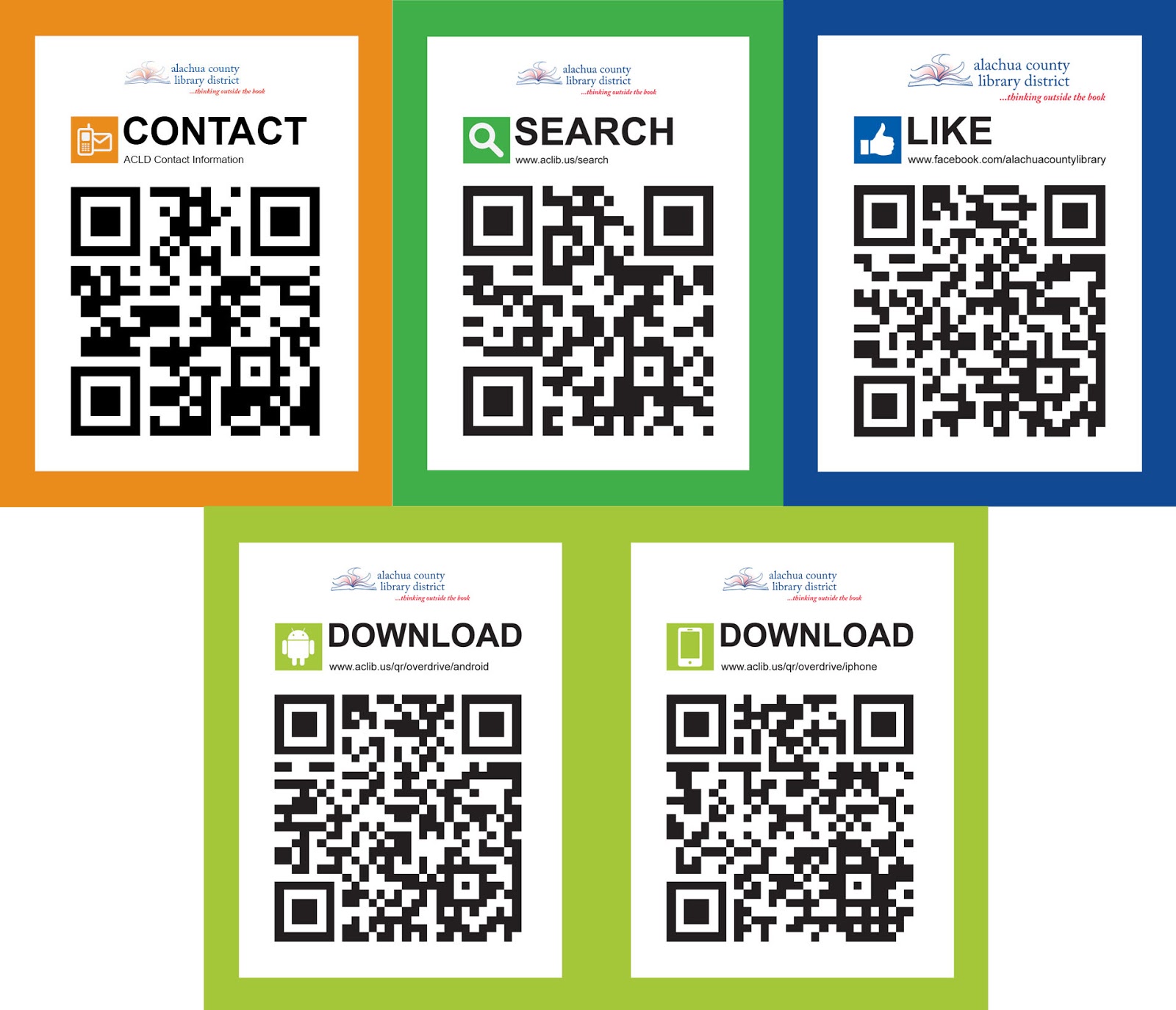
After that, two 8.5x11 inch signs placed at reference desk areas announce that they provide Contact information. Not to leave out those without smart phones, a website address is printed directly under the word "CONTACT" for their reference.


Further into the library, attached to bookshelves are 4x5.25 inch signs that encourage patrons to scan the QR codes on the sign to "DOWNLOAD" the necessary apps that allow them to read materials on their smart phone. 


A 3x4 inch mini sign saying "SEARCH" will be placed near interesting items inside the library that can also be accessed online by simply scanning the QR code on the sign. Patrons could open up the library website to place a book on hold, look for related materials, download ebook or audio book, be directed to a video--a variety of possibilities exist.


And to help us gauge their interest and participation in our QR code efforts, one additional 3x4 sign, "LIKE", can be used to scan. When scanned, it will take users to our Facebook web page where they can then provide feedback comments to the library staff.


Each sign maintains a consistent format, utilizing a dominant, scannable QR code, a single instructive action word ("contact," "search," etc), website URL under the actionable word for those who don't have a smart phone to refer to, a small icon associated to the actionable word, a solid colour border that matches the background of the icon colour, and our library branding.


A colour-coded system of signs appear throughout 
the library for smart phone users.
To kick off the exercise, the following quantities were printed, laminated for durability, and trimmed to size:
What is?: 1x 20x30 inch sign
CONTACT: 5x each of two different 8.5x11 inch signs
DOWNLOAD: 30 each of both the Android and iPhone version signs
SEARCH: 40x 3x4 inch mini signs
LIKE: 20x 3x4 inch mini signs
Left: 8.5x11 inch sheets of mini signs after they came out of the large laminator.
Right: hand-trimming out the 90+ mini signs after laminating.

21 June 2011

THINK... Library Newsletter / Program Guide, Summer 2011

I was holding off to publish this entry until the distribution date of 1 July, but people can't wait to get their hands on this issue, so I'm posting it early. Librarians have been dropping by the design department to ask me when it is going to be available; patrons have been asking them when to expect it, eager to find out what's happening for summer. I've had my finger poised over the push buttons on my desk phone, itching to pester the printer about it myself! And for good reason: we've certainly got a lot going on, that's for sure!

If you can't get your hands on one of our 2,000 printed copies, you can conveniently view and download a .pdf version of it here, on our library website: http://www.aclib.us/about/blog/think-newsletter-and-summer-program-guide 


The Library website page where you can download the
current issue of THINK... newsletter / program guide.
This summer edition of THINK... revolves around the theme of technology and mobility. Our library is harnessing the power of newly created technologies to expand our services, be more convenient, and stay right at the tips of your fingers where ever you go, whenever you want us. As the website puts it: "Everybody seems to be on the go this time of year. Now you can take the Library with you!


The latest issue of the Library's THINK... newsletter includes information about our new mobile website app, which is available for any browser, visible via an Android and iPhone/iPad app. Our website also provide details about mobile apps from OverDrive (our downloadable eBooks and eAudiobooks), MasterFILE (magazine articles from EBSCOhost), and World Book (encyclopedia). Handy QR codes provide another convenience for users of mobile devices. It's not just about digital devices. There's much more. Be sure to check out all the great summer events for kids and teens, and other special summer programming."


The design work for this publication began in May and went to the printer in mid-June. Besides my part in developing the creative and production-end of the 12-page document, it also takes the efforts of all our branch librarians to enter their events into our online calendar, plus authors who are in-the-know about the theme-supporting subjects to write informative brief articles about our services, in order to pull it all together. Everyone's timely contributions help to keep the project on schedule--and even ahead of it sometimes--as was the case for this issue. I was very impressed and relieved I didn't have to carry my big stick around with me to chase after everyone for their stuff. So my hat's off to them all for making this the smoothest production I've had yet on it!


Images for the newsletter came from a variety of sources ranging from already existing clip art, and newly created images of signs, to public domain photography and provided vendor marketing kit images, to even taking an in-house cell phone shot of another cell phone taking a picture of a computer screen. The typographic style remains consistent from issue-to-issue, as do most of the other design elements. The cover captured both the technology and travel themes by virtue first of the nameplate with the computer motherboard background, and then the large photo of the woman laying on the beach with her cell phone balanced on her ear as she relaxed. On the back cover, a "guy on-the-go" reinforced the idea that wherever you go, the library can go with you.


I've heard interesting statistics lately about how our "through-door" patronage had dropped slightly over the past year, but that it had been more than bolstered by the "virtual patronage" figures that made up for it considerably--evidence that library services are in just as much--if not more--demand than ever. A surprising revelation, considering that when I go out into our library public spaces, I more often than not witness that every single chair in our library is being sat on by somebody.

14 April 2011

Library Web Ads, aka "Webslides"

A selection of library website homepage ads.
If you've ever seen our library homepage at www.aclib.us, you will have noticed the series of images that appear and disappear on a rotating basis. These web ads are what we call "webslides" due to the slideshow nature of their presentation. Each week, a few new library events--usually between five to eight--are selected to promote in this manner. 


We try to determine which events we want to promote at least a few weeks ahead. There's no need for a webslide related to an event that has been in the planning stages for weeks and months ahead of the actual event date to have to wait until the last few days to be produced. Advance planning for promoting an event is almost as important as planning the event itself and should, in fact, be a component of the planning itself--not as an afterthought (my mantra: some people are very good about it, while others need to be beaten over the head with it).


We prefer for the images to remain simple and without a lot of descriptive language on them because immediately beneath the images we have room for a headline and text to explain more about the event. Some webslides are straight-forward, others more conceptual. Most have at least a headline; others include a little additional descriptive text. Sometimes images are provided, sometimes not--the latter requires me to go sourcing for images to either use alone or in combination with others. Simply put, development of these ads runs the gamut of possibilities based on what I have to work with and what I need.


That being said, I have been on a webslide tear the past couple of weeks, working ahead to  create images for display as far ahead as the middle of June! With each week having between five to eight images needing to be created, I've been cranking on all cylinders to source and compile images and essential event text. This, on top of all the other multiple projects in the works. In fact, webslides are really one of the lesser time-demanding projects I develop on a regular basis. More often than not, work on webslides gets squeezed in between the lulls and odd-times of doing other projects.


General descriptions of our events can be found on the event calendar portion of our website. But sometimes when the descriptions are vague or inadequate for helping me to visualize what would be appropriate, I have to call on the person organizing it to give me some insight. So the creative process can either be quick and easy, or be a long, drawn-out affair of exchanging emails and waiting for replies. By-and-large, however, most librarians are good at responding relatively quickly. They have a lot to do too, after all.

16 November 2010

Building & Interior Design for DOK Library, Delft, Holland

I came across an interesting link today while googling for my very own blog. The other link was to Jenny Levine’s blog entry dated 19 March 2008, entitled “Visiting the Most Modern Library in the World” and part of  “The Shifted Librarian” blog. This entry mentioned certain aesthetic aspects of a library design in Delft, Holland.


http://theshiftedlibrarian.com/archives/2008/03/19/visiting-the-most-modern-library-in-the-world.html 


If you click on any of the very tiny photos on the blog, you will be transported to where you can view the images much larger at the linked Flickr page album here:


http://www.flickr.com/photos/dokdelft/sets/72157608201563435


http://www.flickr.com/photos/shifted/sets/72157604142377648/with/2341498809


Makes me want to take a trip to see it for myself!
Additional links and press about this concept library:


http://www.infotoday.com/mls/mar08/Boekesteijn.shtml

01 November 2010

Annual Author’s Gala Fundraising Event Collaterals


One of the largest fundraising events for the library is the annual Authors’ Gala Event organized by the Alachua County Library District Foundation. This year, the Gala will feature crime/detective novelist Michael Connelly.

Design items related to the Gala included:

Left top: Gala Ticket (front), printed on 110# card stock (note table number circle at top right corner leaves room for hand-marking in the table number assignment). Quantity: 500.
Left center: Gala Ticket (back), features the highest level of donors.
Left bottom: Evening Program Guide (cover shown), an 8.5x11in. trifold brochure printed on 110# card stock repeats the horizontal format of the ticket. Quantity: 250.
Center left: an 8.5x14in. poster. Quantity: 20.
Center right: Evening Gala Tabletop Sign (for guests to locate their tables). This was held by a metal wire stand in the center of the table. Printed front and back on 3.5x11in 110# large tent card stock and trimmed to size. Gold, Silver, Bronze, and Green circles with table numbers inside them indicate donor level of contribution. Quantity: 30.
Right: 4.94x10.5in. colour newspaper ad (black/white version also made). Quantity: 1.
Not shown: a web ad for the ACLD website home page, a Save The Date postcard (Quantity: 100) and a 120x36in. wall banner that essentially resembles the program cover without the subordinate text and moved the Foundation logo to the same level as the event display text. Quantity: 1.

26 October 2010

Welcome

Welcome to the Library Graphic Design blog. I'm Scot Sterling, graphic designer for the Alachua County Library District in Gainesville, Florida. I began this personal blog in order to have a place to share project images of my work and information about them with family and friends, but I also extend this invitation to others who have an interest in graphic design—especially if related to libraries. So feel welcome to comment, ask questions, and share your experiences as well.


Aside from simply showing examples of marketing communication projects I design for the library, I hope to broaden the scope of this blog to include providing other information as it comes to me as well, such as offering discussions on the following topics:
  • Creative resources for visual communicators, such as companies and websites that offer clip art or public domain images free for use by the public;
  • Website links related to educational opportunities for those who design promotional marketing vehicles for libraries;
  • Insight into equipment and tools I regularly use to produce my design work and methods used during the process;
  • Sources I derive inspiration from to generate design concepts;
  • Rants and Raves on library design and branding issues;
  • Recently found notable design items from other libraries;
  • Uncovering the mysteries of what being a communications union employee is like (or not, depending on if I decide to embark on such a venture);
  • Interesting tid-bits of news, discussions, happenings, and possibly even fabricated imaginings that may be more on the periphery of the design conversation, but that may still have a place here for anyone who works in a library environment.
I hope you'll enjoy the blog, and if so, please feel welcome to add your comments, insights, and stories about print marketing communications for libraries.